How can AI agents automate daily credit control from SAP reports?
A Capto AI Agent reads daily SAP reports, applies credit limits and emails overdue payment notifications, all on the client company’s own server.

Key takeaways
- The AI agent starts once the three daily SAP reports (i.e., receivables and credit limits, blocked orders, customer details) are complete and combines them with seasonal limits and sales-manager assignments.
- For each customer it adds open invoices and new orders, compares the total with the standard and seasonal credit limit and decides whether to notify and for what amount.
- Affected customers receive an email with an Excel statement of open invoices, with the regional and zonal sales managers in copy (in this particular instance), while management receives a daily summary.
- The AI agent runs as a Windows service on the company’s own server over SMTP, with no cloud platform and was tested against more than 150 scenarios.
- Every run is archived with its input files, emails, attachments, logs and a checksum record and the AI agent sends nothing if data is missing, outdated or malformed.
Short answer: An AI agent can handle daily credit control by reading SAP report exports, comparing receivables and new orders with credit limits and emailing each affected customer an Excel invoice statement. It runs on the company’s own Windows server, archives every run and sends nothing if a report is missing or incomplete.
| Process | Accounts Receivable & Collections |
|---|---|
| Systems | SAP, Excel |
| Result | A manual daily routine replaced by an automatic run with a full audit trail and no cloud dependency. |
Book a demo
See an AI agent chase and match your receivables.
30-minute call with an AI agent expert.
See Your AI Agent in ActionNo commitment · Clutch-verified reviews
On this page
- Why does daily credit control take so much time?
- How does the AI agent handle credit control with SAP data?
- What does the daily credit control process look like today?
- What happens when something goes wrong?
- How does it fit into the existing IT infrastructure?
- How was the solution tested and delivered?
- What changed?
Why does daily credit control take so much time?
Credit control is the process of monitoring what customers owe and acting when they exceed their credit limit or pay late. Doing it well takes more than one report. Finance teams usually have to combine receivables, blocked orders, customer contact details, sales responsibilities and additional credit rules before deciding who to contact and for what amount.
In this use case, the Credit Control team did this manually every afternoon. They gathered data from several SAP reports and spreadsheets, checked each customer’s open invoices against their credit limit, prepared an individual email with a statement and copied the right sales managers.
The routine was repetitive, took time every afternoon and depended on the people who knew exactly how it worked. It also left little record of what had been sent, which data had been used and why a notification had been issued.
How does the AI agent handle credit control with SAP data?
Capto built an AI agent that follows the company’s own credit control rules and runs the daily check as soon as the required SAP reports are available. It reads the exported Excel or CSV files, so it works with the existing setup and needs no new cloud platform, mail client or installed runtime.
The AI agent combines five inputs:
- Receivables and credit limits: open invoices and standard credit limits per customer, from an SAP report.
- New orders: orders blocked for credit check, from a second report.
- Customer details: email addresses and sales groups, from a third report.
- Seasonal credit limits: additional limits that apply only during part of the year, kept in a spreadsheet.
- Sales responsibilities: the regional and zonal sales managers assigned to each sales group, kept in another spreadsheet.
From these inputs the AI agent calculates the amount per customer, applies the relevant limits and decides which customers must be notified and for what amount. It then sends the customer email with an Excel statement of open invoices, copies the responsible sales managers and sends the internal reports.
What does the daily credit control process look like today?
The AI agent runs the routine in five steps:
- Wait for the daily SAP reports
From the configured afternoon start time, the AI agent watches the folder the ERP exports to. It starts once all three daily reports are present and complete. If the exports are late, it starts late instead of skipping the day.
- Calculate the amounts
For every customer, the AI agent adds up open invoices and new orders and compares the total with the credit limit, plus the seasonal limit when one applies. It then decides whether a notification is needed and for which amount.
- Notify customers
Each affected customer receives an email with the key figures and an Excel statement of their open invoices. The regional and zonal sales managers are in copy.
- Report internally
Management and the Credit Control team receive a daily summary. Problems such as a customer without an email address are reported separately to the responsible employees, so management is not involved in routine operational issues.
- Save the audit trail
The AI agent stores the input files, every email and attachment, a per-customer report, the logs and a checksum record in a dated archive. The team can reconstruct any run afterwards, including why it started when it did.
What happens when something goes wrong?
Credit control depends on accurate figures, so the AI agent is built to fail safely. If a report is missing, out of date or malformed, it sends nothing to customers and tells the responsible employees exactly what is wrong.
It also sends no more than one notification per day, even if the check is run again. If the service could not run at all on a given afternoon, the team is told instead of customers being emailed late.
A preview mode prepares every email as a page that opens in a browser without sending anything, and a test mode sends all mail to a single test address. The business team tested the AI agent in both modes on its own before switching it on for customers.
How does it fit into the existing IT infrastructure?
The AI agent runs as a Windows service on the company's own server, using the existing SAP exports and the company's mail server. It starts with Windows and continues where it left off after a restart. No cloud services are required, and no data leaves the company's infrastructure other than the notification emails themselves.
Email is sent directly over SMTP with TLS encryption. The mail account password is stored encrypted with Windows data protection (DPAPI), so it cannot be read from a copy of the configuration file.
Folders, file names, the schedule, recipients, email text and the seasonal period are all set in a plain configuration file, so the IT team can change them without a new version. Each input can be an Excel or a CSV file. When the company switched its ERP exports to CSV during testing, the agent was extended to support it within days.
The AI agent never deletes or overwrites anything in its archive, which keeps every run auditable.
How was the solution tested and delivered?
The rules were implemented exactly as the business applies them , and open points were settled with short, concrete questions to the client before development continued. An automated suite of more than 150 tests covers the calculation rules, every type of email, missing and malformed files, mail server failures and the daily schedule.
Sample emails for every situation, from a normal day to an error alert, were reviewed by the people who use them before delivery. The company received the program, its full source code and two sets of documentation: a business guide for the Credit Control team and a technical guide for installation, configuration and operation.
Technically, the AI agent is written in Python and packaged as a signed Windows executable with no external runtime.
What changed?
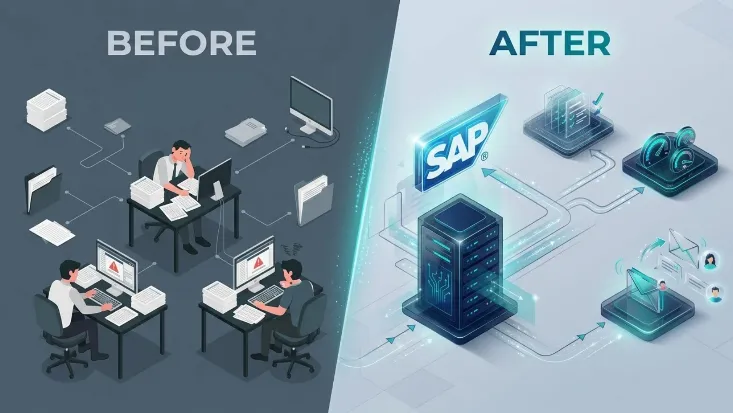
| Process | Before | After |
|---|---|---|
| Daily check | Done by hand every afternoon by the Credit Control team. | Runs automatically as soon as the day’s SAP reports are ready. |
| Consistency | Depended on who did the check and how. | The same rules are applied to every customer, every day. |
| Customer communication | Individual emails and attachments prepared by hand. | A uniform email and statement, with the right managers in copy. |
| Oversight | No regular overview for management. | A daily summary for management and issue reports for the team. |
| Record keeping | Only the sent emails themselves. | A complete, dated archive of every run. |
| Continuity | Relied on the people who knew the routine. | Documented for both the business team and IT. |
A manual daily routine replaced by an automatic run with a full audit trail and no cloud dependency.
Results
- Process automated
- Daily credit control, i.e., checking receivables and new orders against credit limits, then emailing customers an invoice statement and sending internal reports
- Before
- Done by hand every afternoon by the Credit Control team.
- After
- Runs automatically once the day’s three SAP reports are ready.
- Systems
- SAP, Excel, CSV files, the company’s mail server (SMTP with TLS)