How can finance teams automate PSP reconciliation?
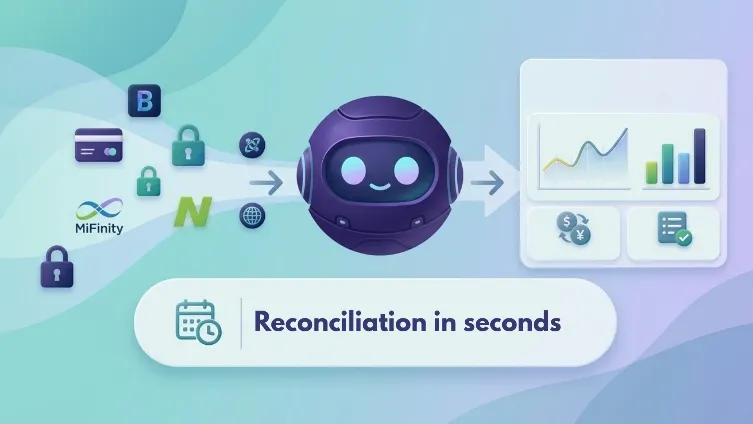
Reconcile payment provider reports against platform ledgers, explain every variance and review thousands of transactions in seconds with a Capto AI Agent.

Key takeaways
- Thousands of transactions reconciled in seconds: The AI Agent processes files in parallel and handles a few thousand transactions within seconds, according to the system specification.
- Every variance gets an explanation: Differences between PSP and ledger totals are attributed to specific causes, including missing transactions, amount differences, currency differences and FX conversion effects. Any unexplained residual remains visible.
- 11 PDP report formats and 3 ledger types supported: The described process covers Brite, Cashlib, Checkout, Dropayment, Fintecture, Gumballpay, Kluwp, MiFinity, Neosurf, Neteller and Payment-Gateway, alongside Backoffice, Operator and PaymentIQ ledger exports.
- Currency differences are handled consistently: The AI Agent uses daily European Central Bank (ECB) reference rates to compare transactions in EUR when the two sides use different currencies.
- Results are ready for finance review: The AI Agent creates a reconciliation workbook in the business’s existing Excel template, a cross-provider KPI summary and a mapping reference.
- Finance teams keep control: Analysts investigate exceptions, record outcomes and verify individual transactions. When a period is reconciled again, the AI Agent carries existing investigation notes forward.
Short answer: An AI Agent reconciles payment service provider (PSP) reports against a gaming platform’s ledger by identifying transactions, matching references, comparing amounts and explaining differences. It processes thousands of transactions in seconds, account for currency conversion effects and produces Excel reports that let finance teams search for exceptions and trace every reconciliation back to its source.
| Process | Reconciliation |
|---|---|
| Industry | Gaming & betting |
| Systems | Excel |
| Result | Thousands of transactions reconciled in seconds, with every cent of variance explained or flagged for review. |
Book a demo
See an AI agent reconcile your own bank accounts.
30-minute call with an AI agent expert.
See Your AI Agent in ActionNo commitment · Clutch-verified reviews
On this page
What is PSP reconciliation and why does it matter?
Monthly payment reconciliation gives finance teams a deceptively difficult task, i.e., to confirm that every deposit, withdrawal and refund reported by each payment service provider (PSP) also appears in the platform's ledger, for the correct amount.
The challenge starts with the files themselves. Providers deliver reports in different layouts, on their own platform, by email, and many other channels. Also, it uses different transaction references and settle payments in different currencies. The platform's back office maintains its own records, which do not necessarily use the same identifiers or formats.
Doing all of this manually can make a month-end close slow and difficult to audit.
How does the Capto AI Agent automate PSP reconciliation?
Capto's AI Agent brings the process together. Analysts in this case supply PSP exports and ledger files from Backoffice, Operator or PaymentIQ. The AI Agent identifies file formats, applies provider-specific rules, detects the reporting period and matches transactions using the relevant references. When currencies differ, it uses daily European Central Bank (ECB) reference rates to calculate comparable EUR values.
Instead of spending hours preparing spreadsheets and looking up individual references, the reconciliation analyst starts with an organized overview of what matches, what needs attention and why.
It supports 11 PSP formats, including Brite, Cashlib, Chekput, Dropayment, Fintecture, Gumballpay, Kluwp, MiFinity, Neosurf, Neteller and Payment-Gateway. The supported input formats include CSV, XLSX, XLSM and legacy XLS files. The AI Agent identifies each file from its contents and column structure rather than relying on its filename.
Step by step monthly reconciliation with an AI Agent
The reconciliation starts with two sets of files:
- PSP transaction reports
- The platform's own ledger exports.
The ledger acts as the central reference point. PSP reports do not need to share identifiers with one another; each provider's transactions are matched to the relevant ledger records using the reference that provider declares.
The AI Agent follows eight stages:
- Collect PSP and leger exports: The analyst uploads PSP reports and platform ledger exports individually or through folders. They select an output folder and choose the FX rate source, with ECB rates used by default.
note: the Agent could also connect to those PSP platform but this wasn’t desired by the client at this stage. - Identify each file: The AI Agent recognizes each file by its contents, not its filename. It handles different formats, delimiters and decimal conventions, while flagging unrecognized files for review.
- Apply provider-specific rules: The AI Agent filters transactions by status, excludes relevant fee rows, identifies deposits, withdrawals and refunds, and selects the correct date and reference fields for each provider.
- Detect the reporting period: It identifies the reporting month from transaction dates and flags neighboring-period transactions as “OUT OF PERIOD”, keeping them visible but outside the reconciliation.
- Covert currencies: When PSP and ledger currencies differ, the AI Agent uses daily ECB reference rates to compare amounts in EUR. If a rate is unavailable, it marks the transaction “NOT COMPARABLE” rather than reporting a false mismatch.
- Match transactions and compare amounts: Using each provider's designated transaction reference, the AI Agent matches PSP records against the corresponding ledger entries and checks whether the amounts agree. A shared reference alone does not count as a match.
- Explain every variance: The AI Agent breaks down differences into amount and currency discrepancies, FX conversion effects and transactions missing from either side. It calculates the remaining residual and flags any variance that remains unexplained.
- Generate reconciliation reports: The AI Agent produces an Excel reconciliation workbook, a cross-provider KPI summary and a mapping reference. The analyst gets an overview of matched transactions, match rate, exceptions, files requiring review and value at risk.
What results can you expect?
Finance teams get a clear view of matched transactions, exceptions, match rates and value at risk across providers. Every variance is broken down into named causes, including missing transactions, amount differences and FX conversion effects. Any unexplained residual remains visible for investigation.
The reports also preserve the matching logic, source files, settings and exchange rates, giving analysts and auditors a way to verify individual results.
Thousands of transactions reconciled in seconds, with every cent of variance explained or flagged for review.
Results
- Client
- iGaming company, 200+ employees, Bulgaria
- Industry
- Gaming & betting
- Process automated
- PSP reconciliation
- Before
- Manual reconciliation of multiple PSP reports.
- After
- A few thousand transactions reconciled in seconds
- Systems
- Backoffice Ledger, Operator Ledger, PaymentIQ; 11 PSP report formats; CSV, XLSX/XLSM and legacy XLS; ECB exchange rates